Built for therapy & clinical leaders
Give DORs, therapy directors, and frontline clinicians one place to document, schedule, and collaborate — with AI that reduces typing and busywork while keeping therapists in control of every note.
- ·PT, OT, and SLP workflows with discipline-specific templates, evals, goals, and CPT support.
- ·Scheduling that matches how rehab runs: day board, planner, and smart nudges for coverage.
- ·Physician Portal for POCs, evals, and progress notes with co-sign chains and signature tracking.
- ·Clinical AI for dictation-to-structure, drafts, and coding assistance — always reviewed and signed by a clinician.
- ·Live compliance signals (LCD, auth alignment, skilled justification) surfaced before notes leave clinical review.
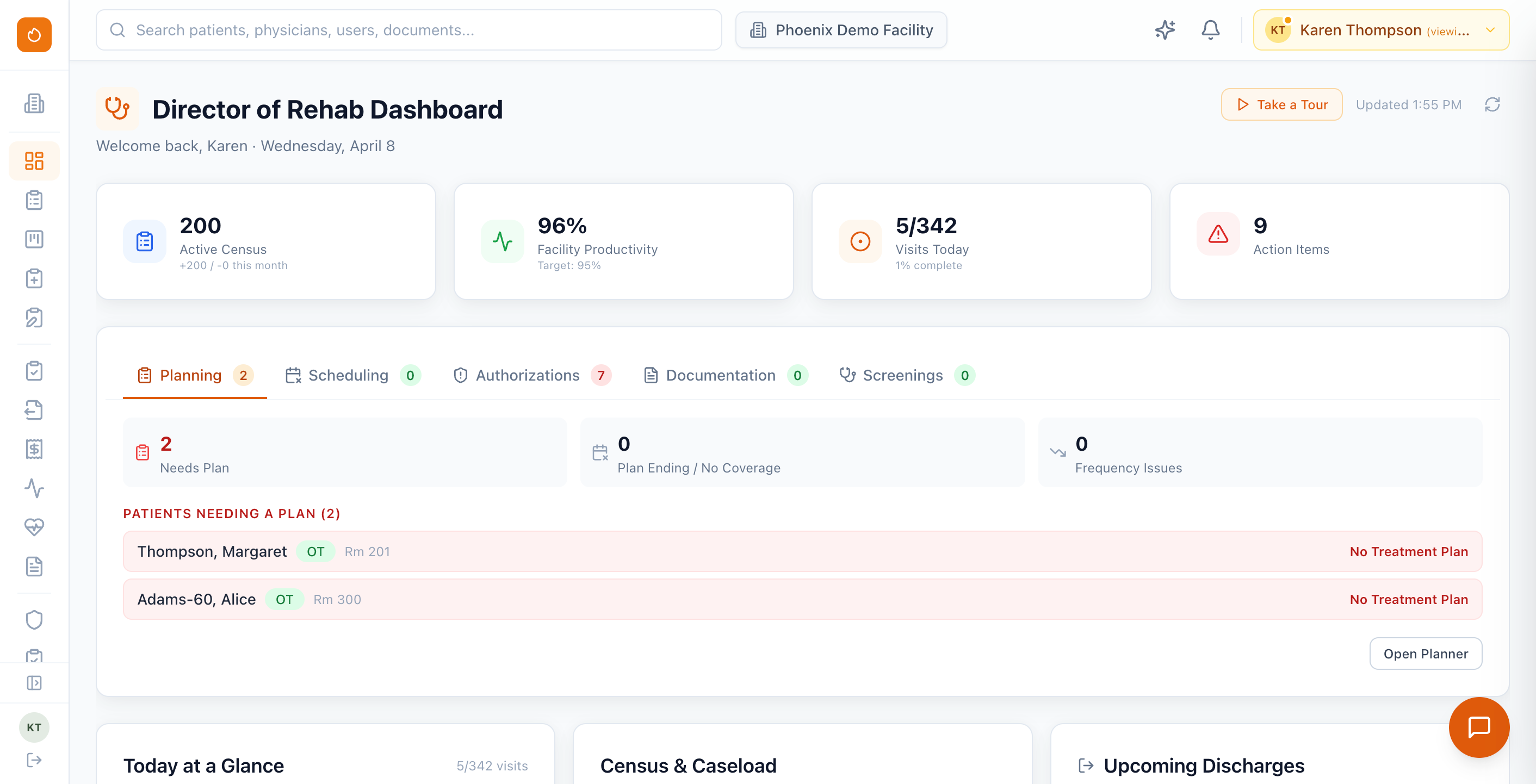
*Based on average time savings observed during internal benchmarks comparing AI-assisted documentation to manual charting.
One chart for the
whole episode
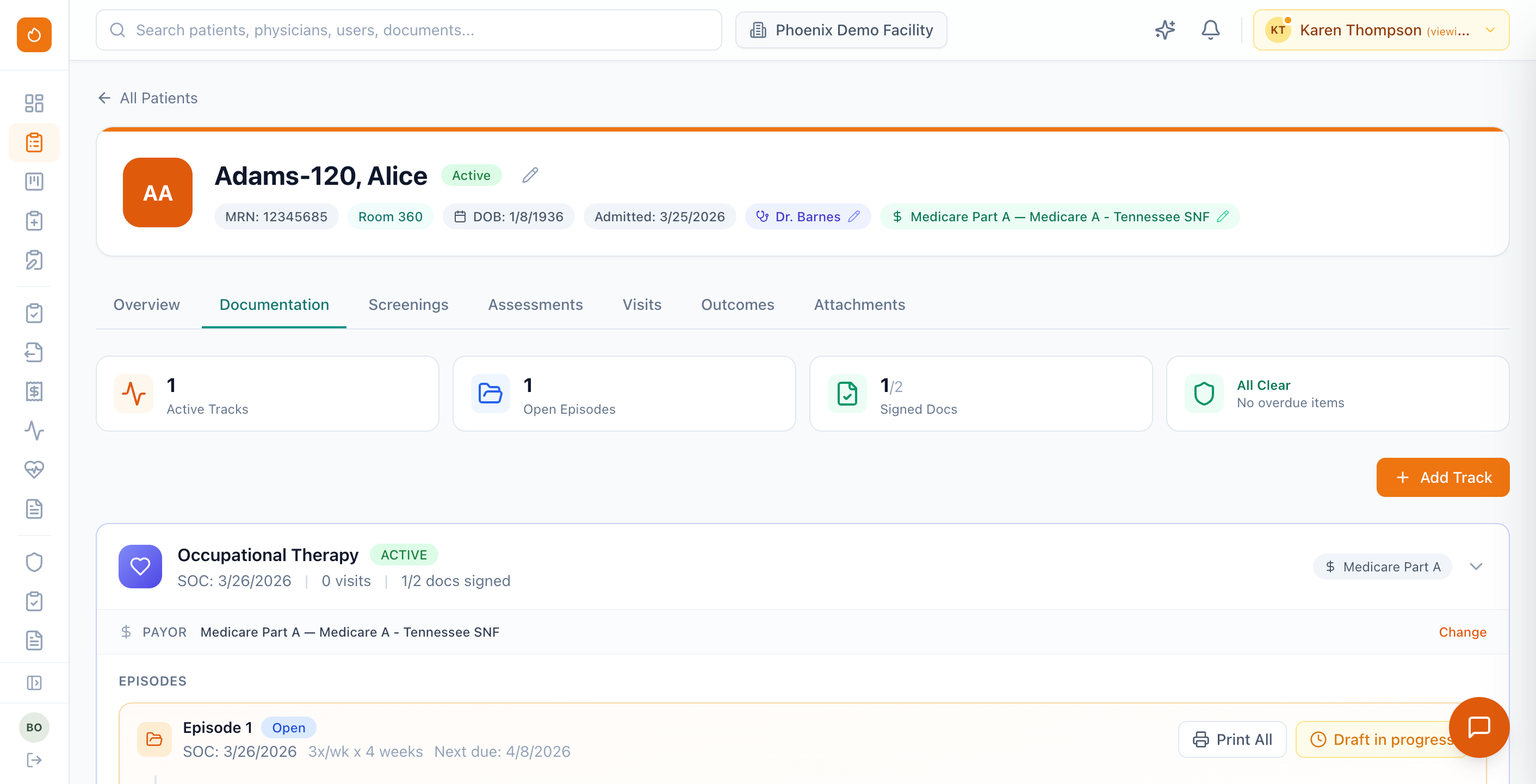
Every patient gets a unified profile — clinical tabs, documentation, screenings, visits, and outcomes alongside intake and revenue-cycle status. Directors and therapists land on the same source of truth.
Demographics, room, physician, and payor at a glance. Upcoming care surfaces the next note or plan due — with clear continue and start paths.
Jump between documentation, screenings, assessments, visits, outcomes, and attachments without losing context.
Intake and referral pipeline status sits next to the chart. Optional AI summary keeps complex histories scannable for handoffs and rounds.
Documentation done
right the first time
Your therapists write the notes and log treatment — Phoenix makes sure they're complete, compliant, and billable. Teams typically save up to 75% on documentation time with template-driven workflows, AI dictation, and real-time auditing — so chart chasing stops eating the evening shift.*
Template-Driven Notes
Plans of Care, daily notes, progress reports, updated POCs, and discharge summaries — each with discipline-specific templates for PT, OT, and SLP. Scope templates by payor, state, and setting (SNF, ALF, outpatient, etc.).
AI Dictation & Note Generation
Dictate treatment notes and AI structures them into compliant documentation. AI can also generate draft sections and suggest CPT codes with LCD compliance flags — clinicians review, edit, and sign.
E-Signatures & Amendments
Full electronic signature workflows with co-signature support for assistants. Amendments are tracked with timestamps and reason codes — maintaining a complete, audit-proof record.
Compliance Triggers
Automatic alerts for overdue notes, unsigned documents, approaching recertification dates, and missing fields — so nothing slips through the cracks before close-out.
Clinical Config Hub
Manage all clinical templates from one place: documentation templates, CPT note templates, goal libraries, screening forms, reusable components, intake forms, and onboarding workflows — all customizable per facility, payor, and state.
Goal-Linked Documentation
Goals, objectives, and progress data flow directly into clinical notes. Therapists see goal status in context while documenting — no toggling between screens.
Nothing stuck waiting
on a signature
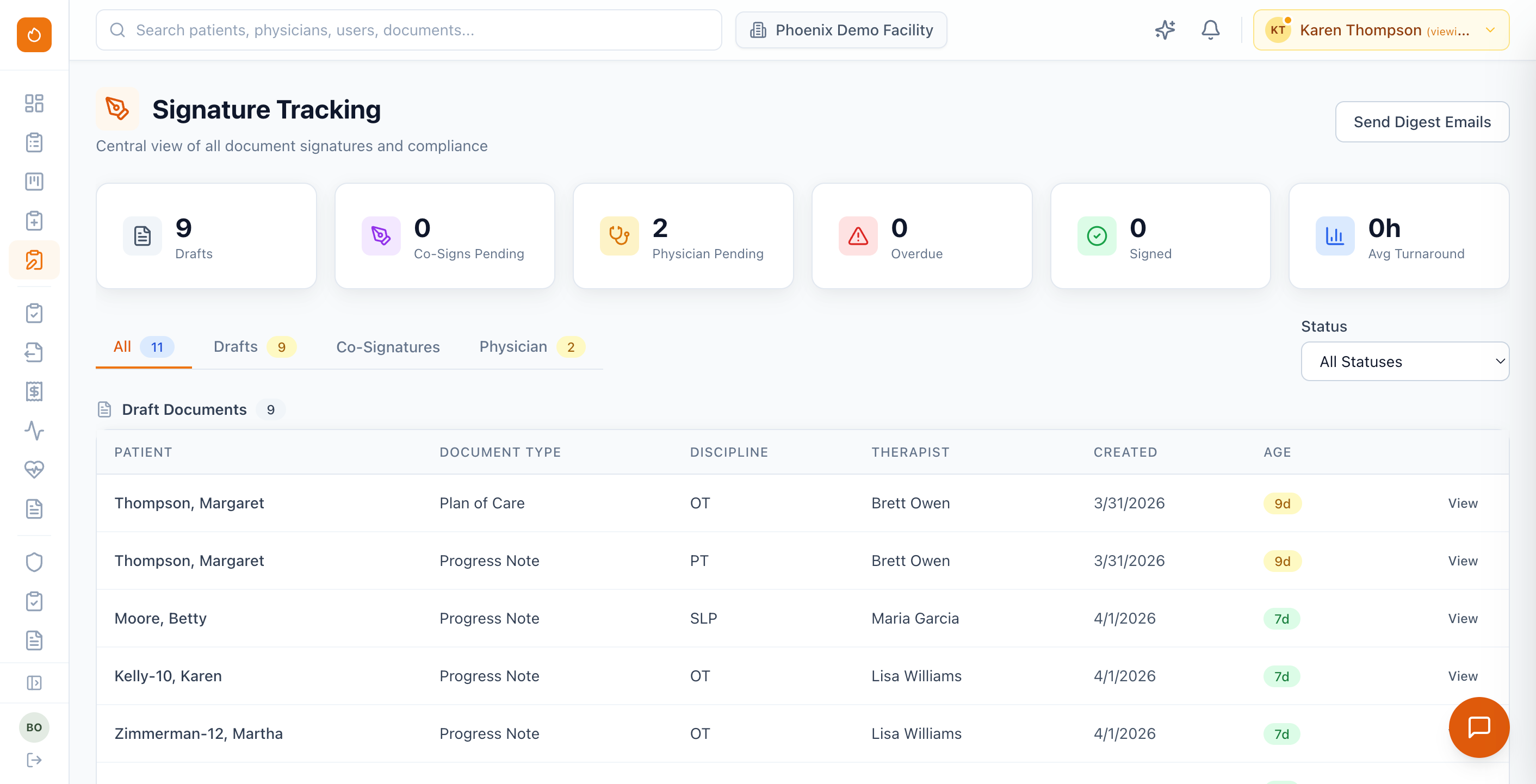
One operations view for every document in the signing pipeline — therapist drafts, supervising co-signatures, and physician orders. Pair it with the Physician Portal so attendings can sign from anywhere while your team sees status at a glance.
Filter by drafts, co-signatures, physician pending, and overdue. Drill into each document with patient, discipline, therapist, and age in the pipeline.
Physicians and NPs review and e-sign plans of care and progress notes in a dedicated portal. Track portal vs. fax requests and pending attestations in one place.
Send digest emails to keep physicians and internal staff ahead of overdue items — without chasing individual charts.
Plan the week in
minutes, not hours
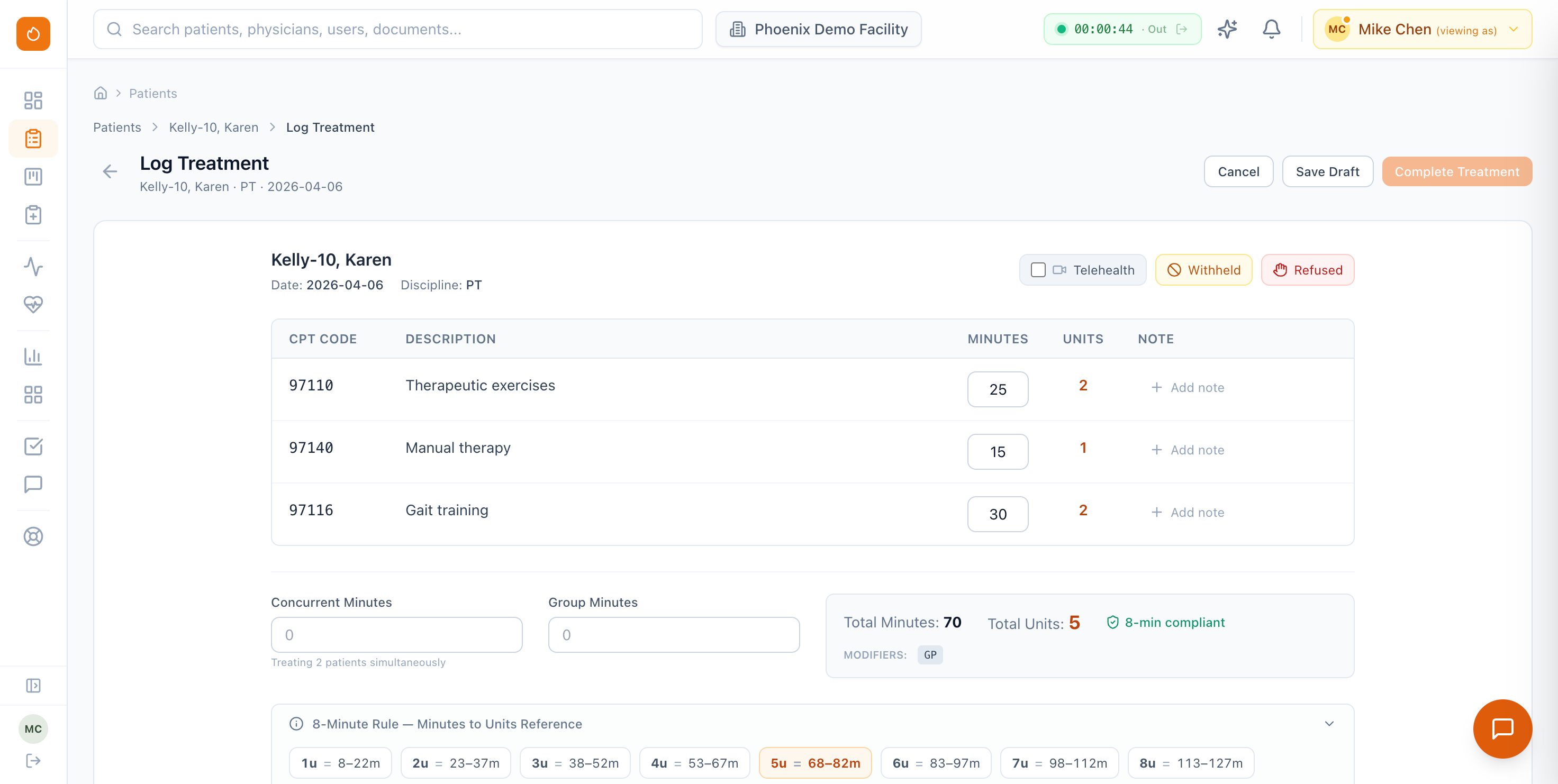
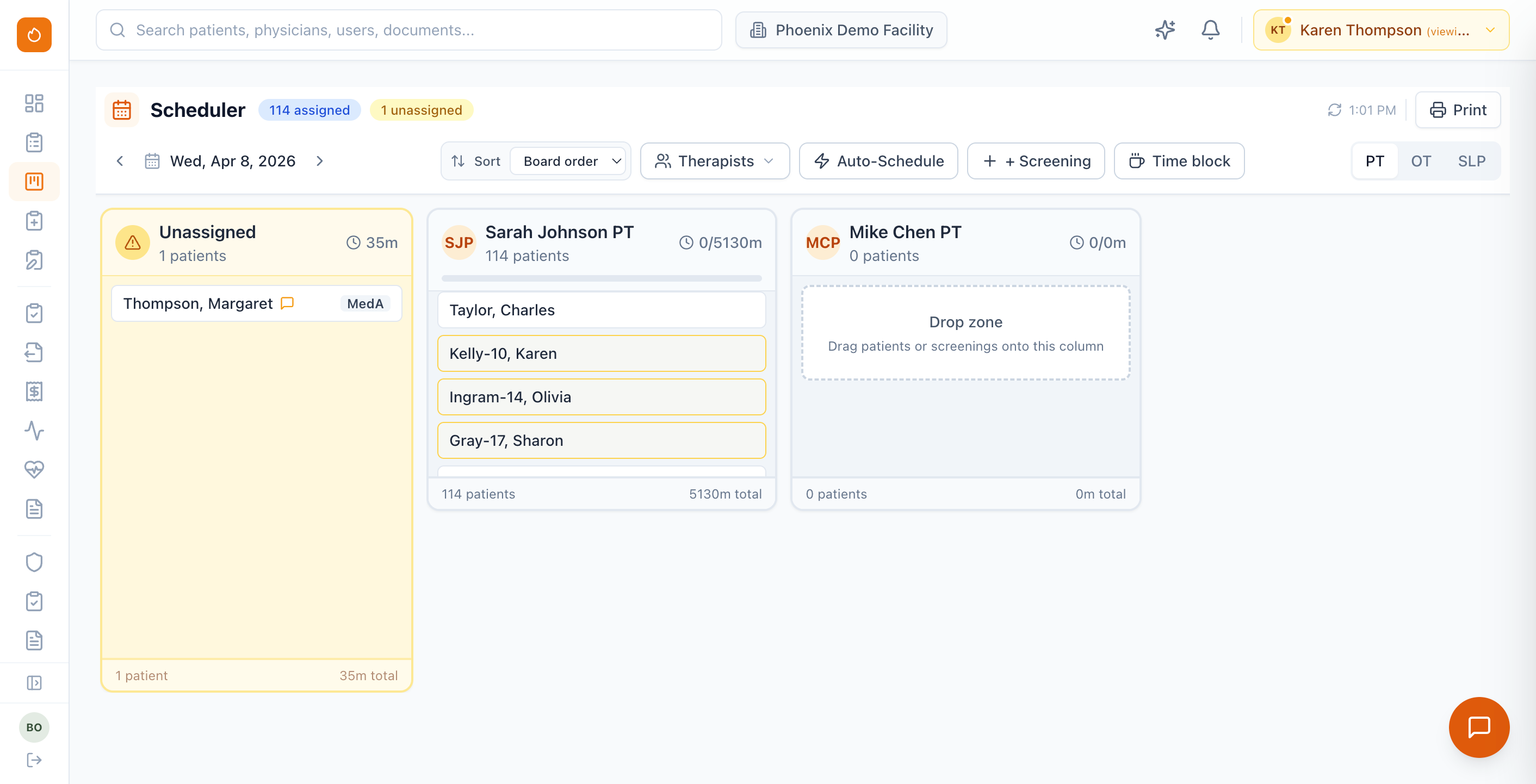
A visual scheduler and treatment planner — day boards for assignments plus multi-week planning — so every facility's schedule stays on one screen. Drag, drop, and optimize with frequency tracking, conflict detection, and authorization limits built in.
Visual day board & weekly planner
Balance unassigned patients and therapist columns for a single day, or zoom out to weekly views. Color-coded by discipline, filterable by therapist, patient, or location.
Frequency & Authorization Tracking
Set weekly treatment patterns per patient. Phoenix tracks visits against authorized frequency and alerts when patients are under- or over-scheduled.
Therapist Assignment & Workload
Assign patients to therapists with real-time caseload balancing. Track productivity, time-off, and utilization rates across every facility in your organization.
Time Clock & Time Off
Built-in clock in/out for therapists with time tracking and productivity metrics. Time-off requests and manager approvals are handled inside the platform — no separate system needed.
Measure what matters —
from admission to discharge
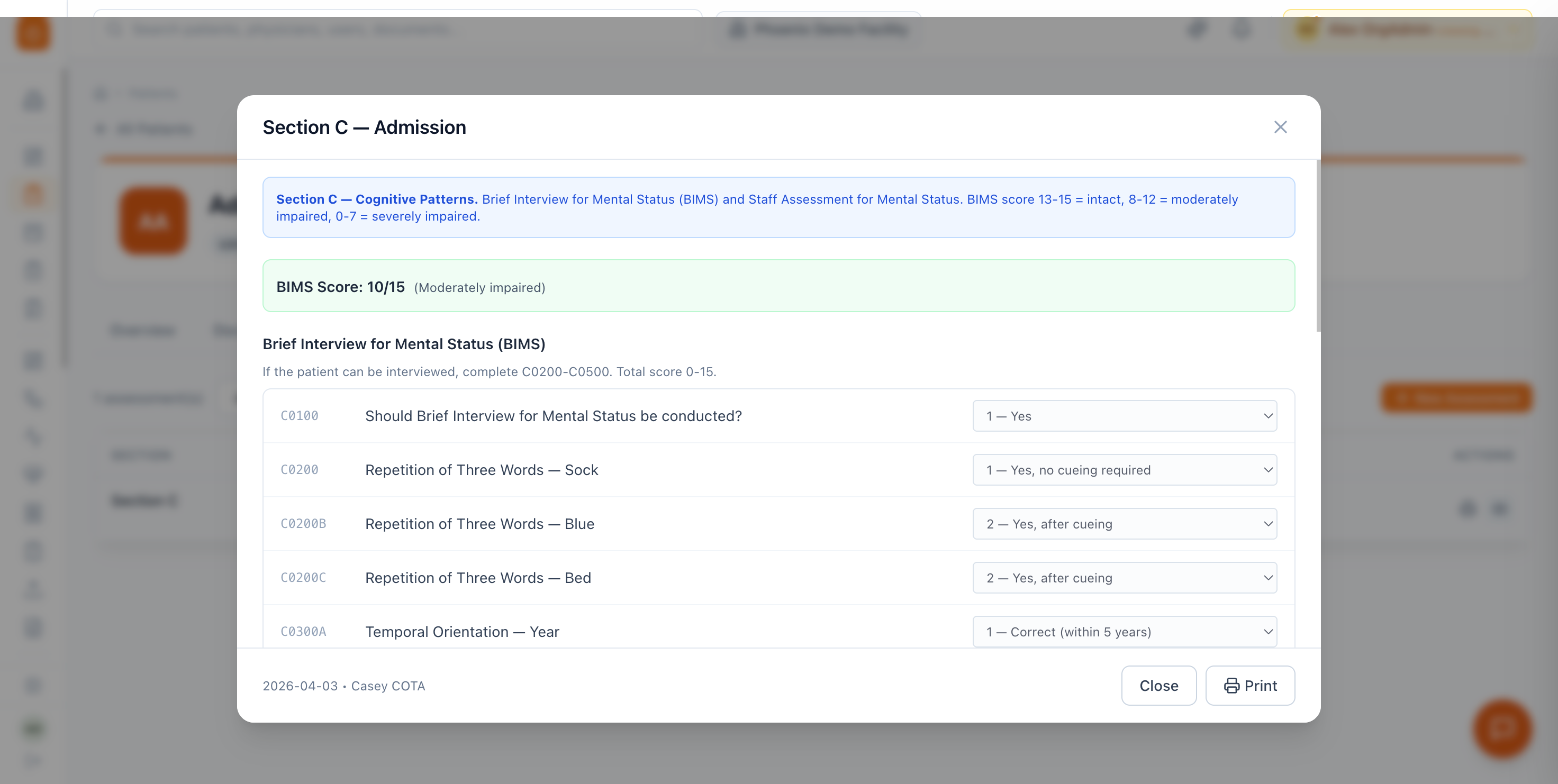
Standardized screenings, functional outcome measures, and goal tracking flow directly into documentation and reporting. DORs and quality leaders see trends across their census, not buried in individual charts.
Standardized Screening Library
PHQ-9, BIMS, GDS, MoCA, Berg Balance, Tinetti, FIM, AM-PAC, and more — built in and configurable. Assign screenings from the DOR dashboard or let document triggers fire them automatically based on visit type or payor rules.
Functional Outcome Tracking
Track functional outcomes over time with visual trend charts tied to each patient's goals. Compare admission vs. discharge scores across your census to demonstrate program effectiveness.
Goal Libraries & Progress
Reusable goal libraries by discipline and diagnosis with customizable objective scales. Progress ratings automatically populate into daily and progress notes — keeping documentation and goal tracking in sync.
8 Clinical Settings
SNF, ALF, outpatient, home health, IRF, LTACH, school-based, and early intervention — each with setting-specific templates, billing rules, and compliance configurations. One platform scales with your organization.
See it through a clinical lens
We’ll walk through documentation, scheduling, and co-sign workflows for your org — on the full Phoenix platform.
Request a demo